





















.svg)











.svg)





















.png)


Introduction Tag-Based Service Mapping
Service Mapping allows you to keep track of the underlying technology stack of your business applications and also helps you to quickly identify any impacts to your business services. Service mapping can discover application services used in your company and also generate a detailed map of all devices, applications and databases used by your business applications. An application service can be your company's corporate website or a sales website or an email communication system.
Service Mapping prerequisite
In this feature overview of service mapping we’re going to assume that you have a basic understanding of CMDB and discovery and that the following prerequisites are already configured in your instance to start implementation:
- Service mapping plugin is activated
- Validated Mid server
- Cloud discovery set up and running
How to set up Tag-Based Service Mapping
If all of this has been set up correctly, your configuration items table should be populated. In this demonstration, we’ll use a virtual machine CI to showcase tag base mapping.
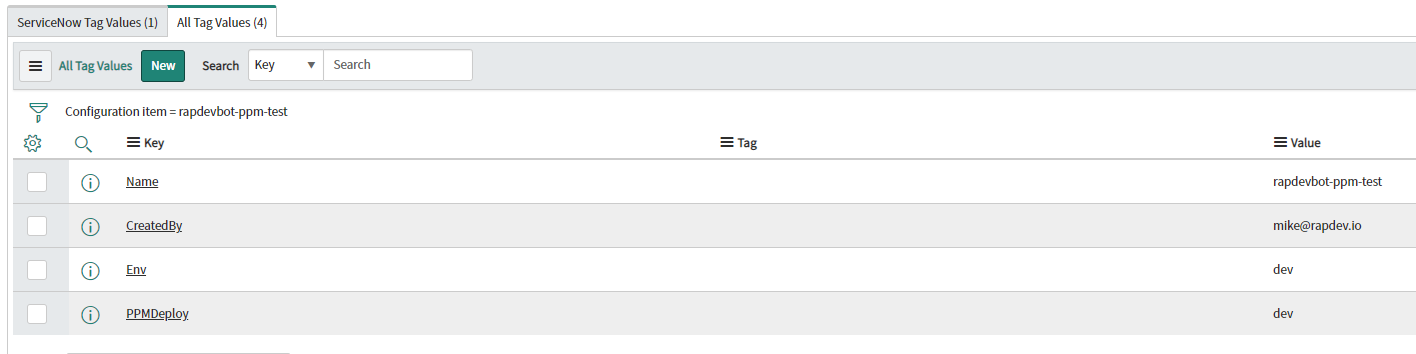
In this EC2 instance, we can see that some tag values have been associated with it. These are tag values that were built in AWS and discovered by ServiceNow. ServiceNow uses discovery patterns to search for those key and value pairs, in this case, the Amazon AWS inventory Tags discovery pattern was used during discovery. This pattern should be by default in your instance. Now that we have our tag values we can start to utilize this tag data to begin building our tag-based service maps.
Now we move on to CI tag categories. From here this is where we can start to define the types of keys that we are looking to correlate for this example.
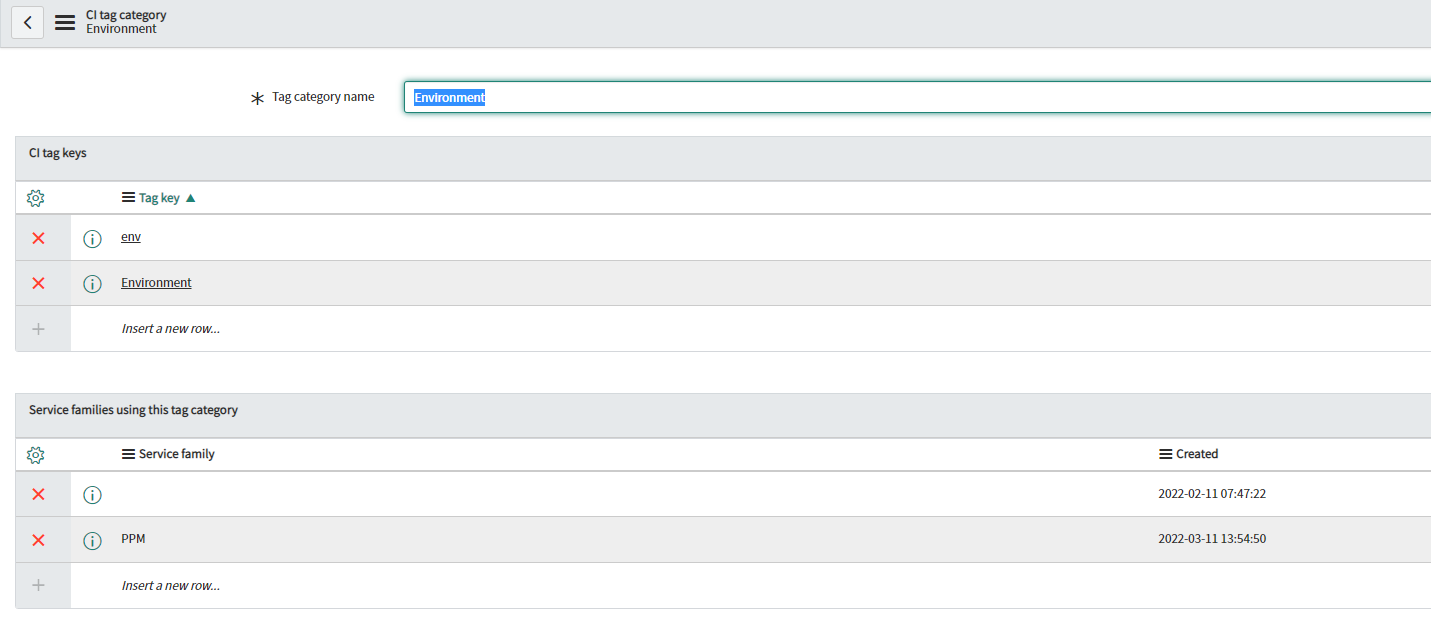
We can see here a couple different variations of tags that we're looking to grab for building this service. These keys have very similar names that's because they all are relatively pointing to the same things. This way we can build out and ask for all of the keys that we're looking to add to this CI tag category.
Moving on to tag-based service families. What we're doing here is we are defining the logic for how we want to correlate these tag values to each other. This takes all the tags that have these application service keys and correlates their values together.
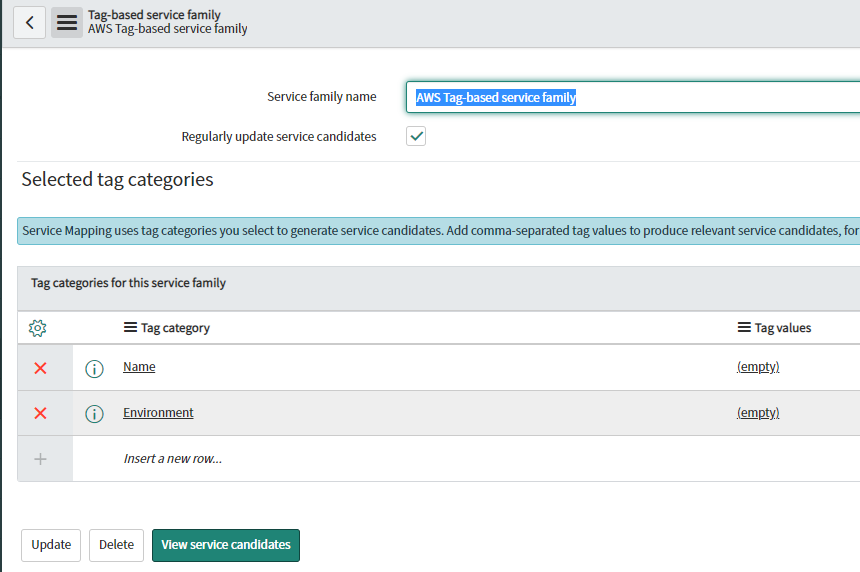
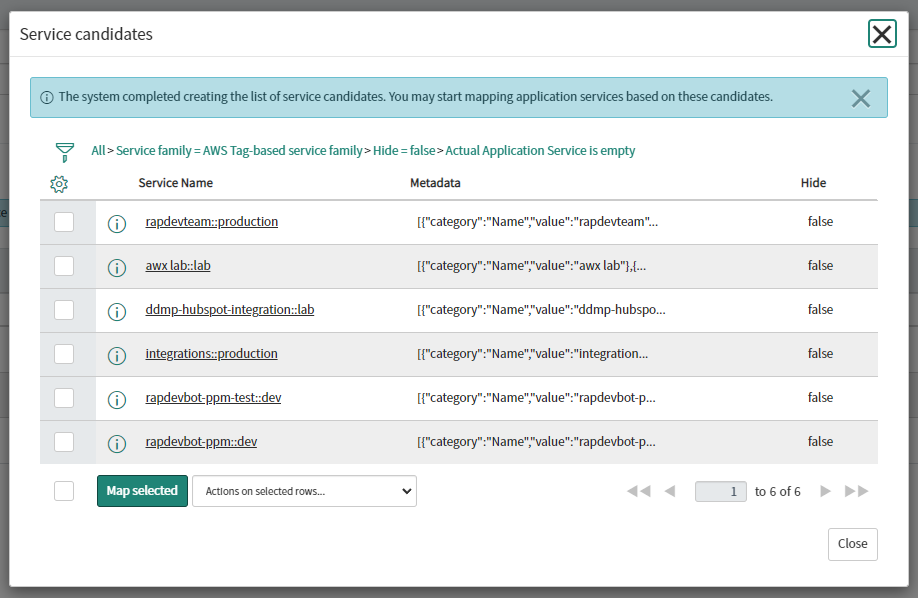
By clicking on view service candidates will see a list of all CIs that are available for mapping given the selected tag categorises. Go head and select the services that you want to map.
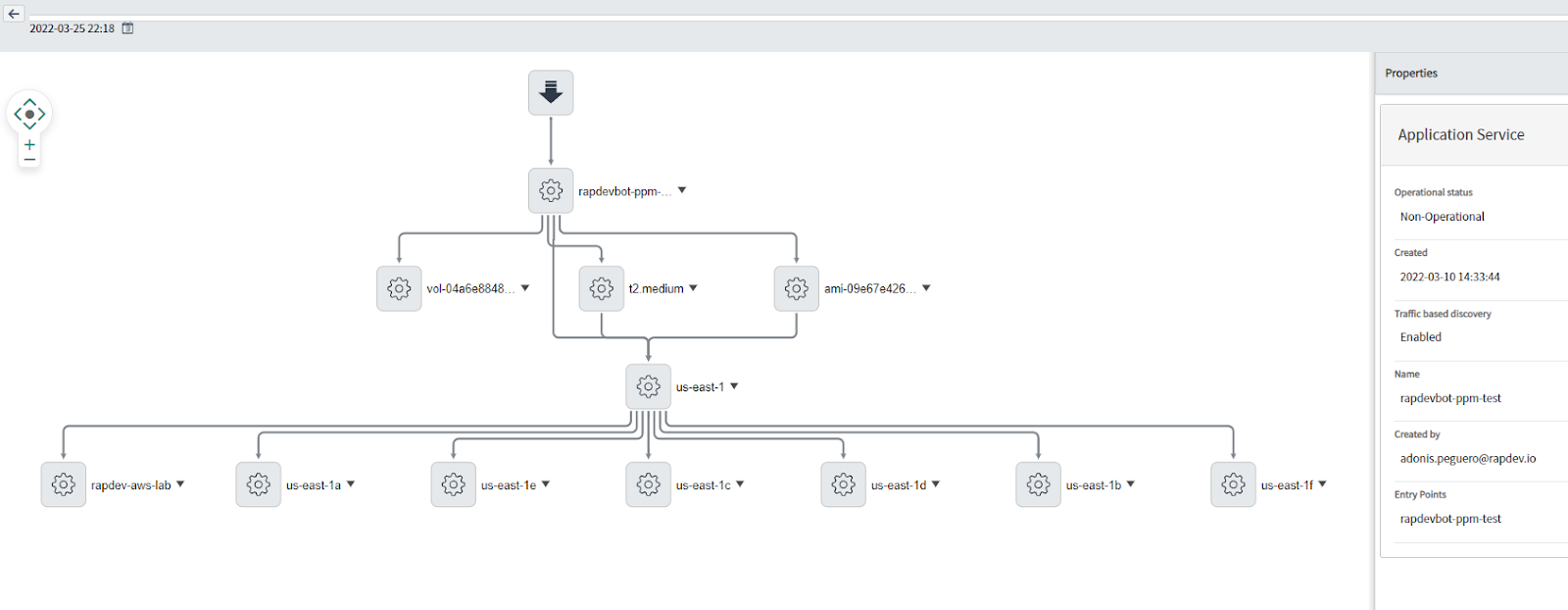
Now you should be able to see the service map by going to tag-based services.
Hopefully this was helpful and gives you a good starting point on how to get those cloud-based tag-based service maps up and running.