



















.svg)










.svg)




















.png)


I suspect you ended up reading this blog post as your SAMP normalization is failing and you don’t know how to fix it. Luckily, we at Rapdev have the answer.
SAM Normalization in your instance is probably, 99% of the time, failing as you activated the “Automatically create software models for all ‘licensable’ products” property in the SAMP properties.
This property:

Located within the SAM Properties:
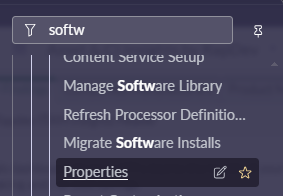
The key is that this property SHOULD be active. You need software models associated with your software discovery models. It’s what links installs to the software models. And creating the software models manually is a brutal task.
In SAMP it is vital to have valid mapping to publishers and manufacturers from your software discovery models and software models. These relationships often get misaligned and that is the root cause of the failing of normalization. AKA, this:

In case you haven’t found that table yet, it’s called “samp_reconciliation_result”. Add the “Progress summary” column to the list to view the error(s).
The fix
So, normalization is failing and it’s probably due to the publishers and manufacturers tied into your SAM data. Luckily ServiceNow has a knowledge article that contains two fix scripts. Here is a link to the article.
As KB articles can “disappear”, here is a screen shot of the article:
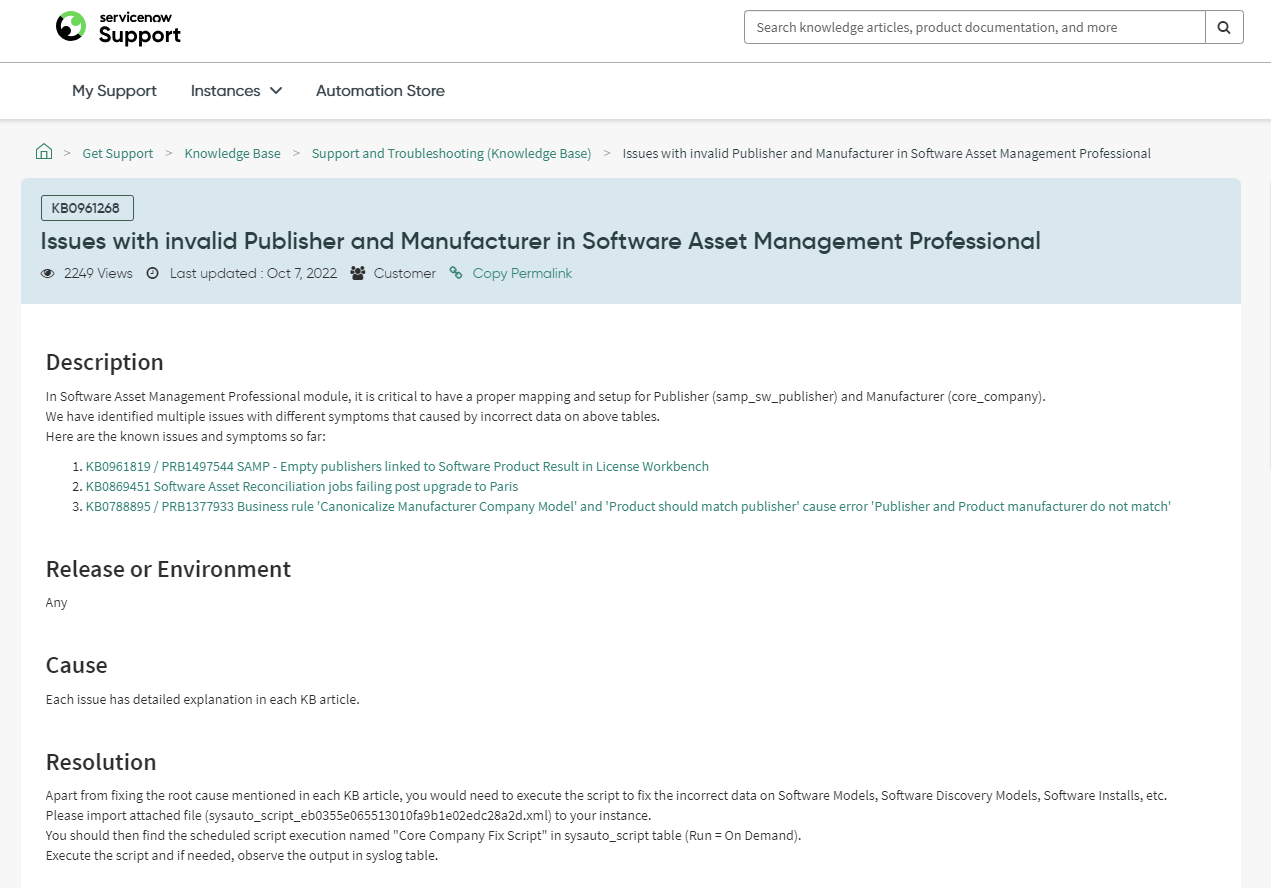
Let’s break down a component of the scripts that the article refers to.
Within “sysauto_script_9785060487a15110293c31173cbb3539 (1).xml” the first function is fixing the publishers associated to the installs. This function queries all of your installs and updates the associated normalized publisher to the manufacturer associated to the normalized products publisher’s. Hopefully I didn’t lose you there 😊:
The remainder of that script and the subsequent script basically rinse and repeat alignment activities. Here is a full copy of both scripts.
Suggested next steps:
In SANDBOX or a recent clone of the instance.
- Log the percentage complete on your last normalization run. 68.87% etc.
- Run “sysauto_script_9785060487a15110293c31173cbb3539 (1).xml” as a background script.
- Rerunning reconciliation and note the percentage complete. If it completes, you are good to go.
- If not, log the second run time percentage and run the second script.
- Rerun normalization and you should have fixed the problem.
FYI, when pushing to prod you can also run both script as one time scheduled jobs to automate the promotion!
Interested to learn more? Reach out to our team at chat@rapdev.io