




















.svg)











.svg)





















.png)


Tag-Based Service Mapping is an efficient and useful way to map cloud and containerized applications. There is no need for additional applicative credentials and there is no need to create custom patterns in order to map the application, which is commonly the case when using traditional Top-Down Service Mapping. Discovery and Service Graph Connectors will bring CIs into your CMDB along with any tags, if the target resources have them. When a Tag-Based Application Service is created, a group of tags (i.e. key/value pairs) are designated for the service. ServiceNow then looks for all CIs that have this grouping of tags and adds them to the map. If those CIs have relationships to other CIs, those are also added to the map via traversal rules. This creates a useful visualization for the Application Service, where you can see what is ultimately affected upstream when a resource has an issue.
Overcoming Tagging Challenges with Tag Generator
Since this Service Mapping method uses tags, tags need to actually exist for the resources that you want to map. While ServiceNow Discovery and Service Graph Connectors import tags for virtualized environments when they exist, many organizations struggle with incomplete or inconsistent tagging strategies. Also, since physical devices can’t have tags because of their nature of being a physical device, these CIs can’t be added to the maps when you might want them to be. That’s where Tag Generator comes in. This application bridges the gap by enabling automated tagging for CIs that lack native tags. Tag Generator will automatically create tags in the same Key Value table that is utilized for Tag-Based Service Mapping based on definitions that you configure. It also includes a cleanup mechanism to automatically delete tags that are stale or no longer match your current definitions.
So how exactly do these Tag Generator Definitions work?
For each definition you must specify the key name for the tag you want to create, and also the CIs in question that you want to target for tag creation by choosing a CI class and respective filter conditions. There are three different methods in which the value of the tag can be populated: static values, regex on a CI field, and a script.
For static values, you just need to provide the value and all CIs that match your filter will get the value specified.
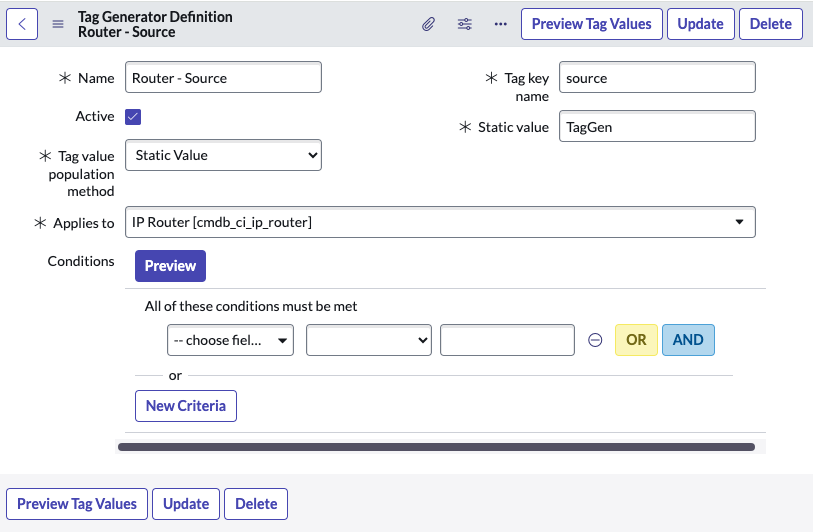
For the regex method, you must define a regular expression with one capturing group and the field on the CIs that your regular expression will be applied against. Tags are only created for CIs where there is a valid match, and the resulting value of the capturing group is used for the tag value.
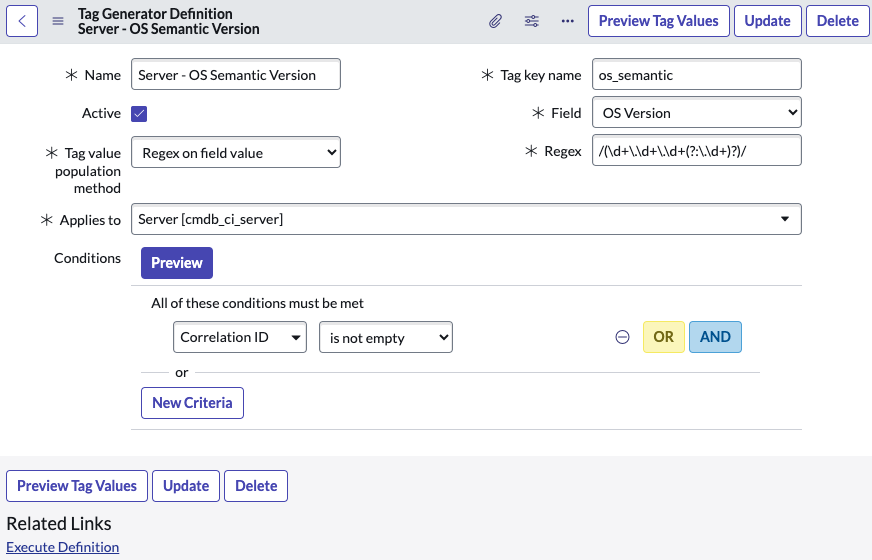
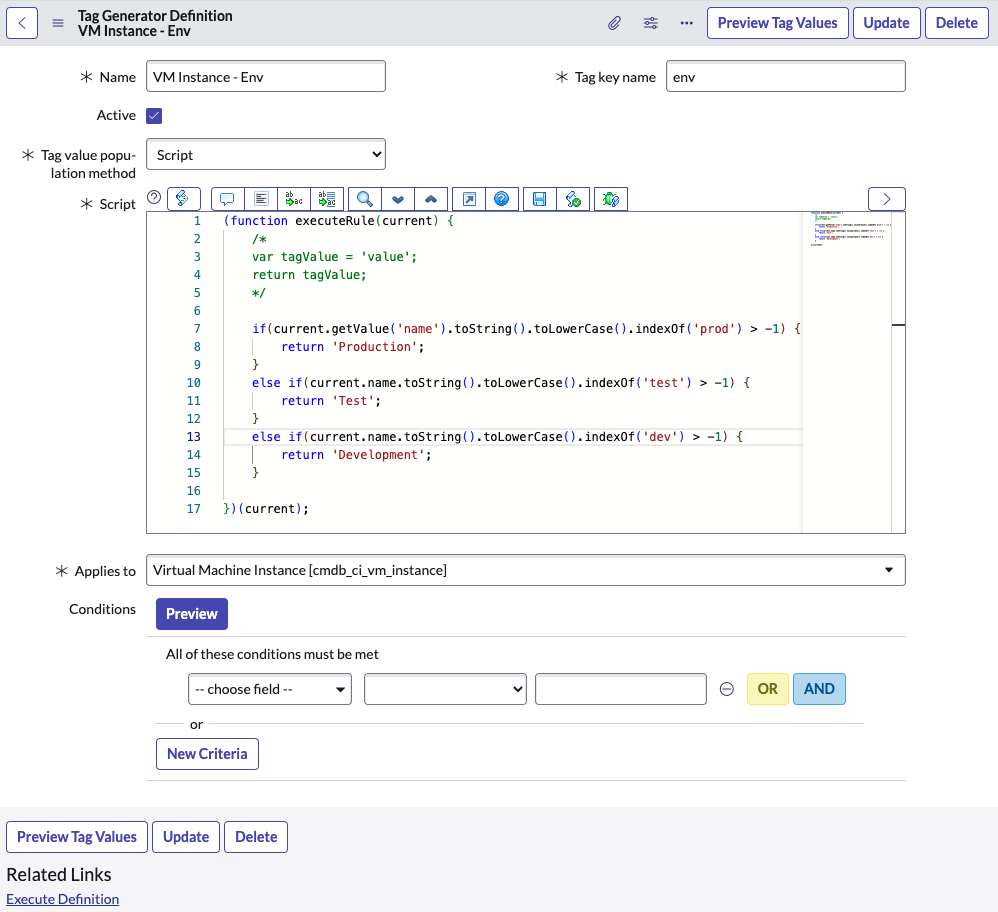
For the script method, you must return a string value. If the value is a valid string and not empty, that value is used for the tag value of the CI. You have access to the “current” CI GlideRecord object that is being processed.
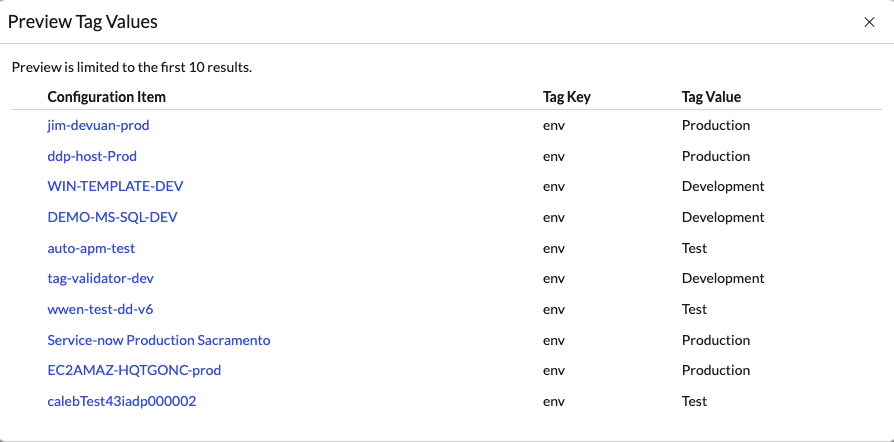
For each definition, you can use the Preview Tag Values button to test out your logic to ensure your regex or script is working as intended.
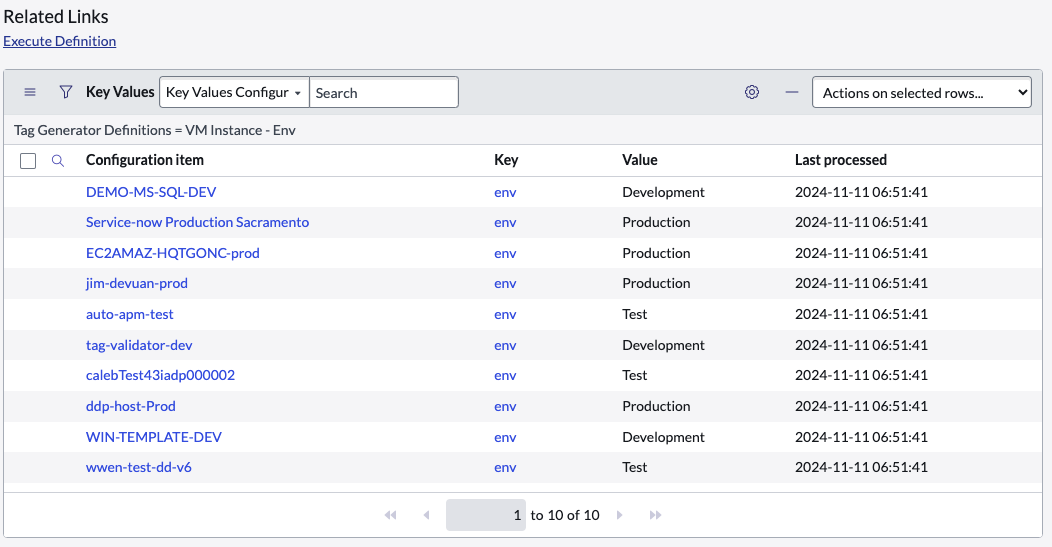
You can also view what tags were generated via the definition by looking at the related list at the bottom of the definition form.
By default, there is a scheduled job that executes daily that will process all Tag Generator Definitions. An individual definition can also be executed manually by going to the definition in question and clicking the “Execute Definition” related link. Each time a definition is processed, it will also delete tags - either because the definition is inactive or because the tag is stale, meaning that a valid tag value has not been found for the CI in the last X days. You can control how and when these tags are deleted by modifying the respective system properties.
Request Tag Generator today - it’s free!