



















.svg)










.svg)





















.png)

.png)
When I first started working in ServiceNow’s Flow Designer, I wasn’t a big fan. It was new, I didn’t understand it, and overall I didn’t like it. I much preferred working in Workflow Editor, I’m sure you’d agree. It took a minute, but now building integrations in Flow Designer has never been so simple. I know what you’re thinking, “Flow Designer?! That clunky, slow UI that drives everyone insane?”, but hear me out.
Lately, I’ve been building multiple integrations with FD that opened my eyes to the beauty in ServiceNow’s Flow Designer. This functionality consists of flows/subflows, flow logic, actions, and action steps. But before we go further, keep in mind, Integration Hub is a must if you choose to build integrations in FD.
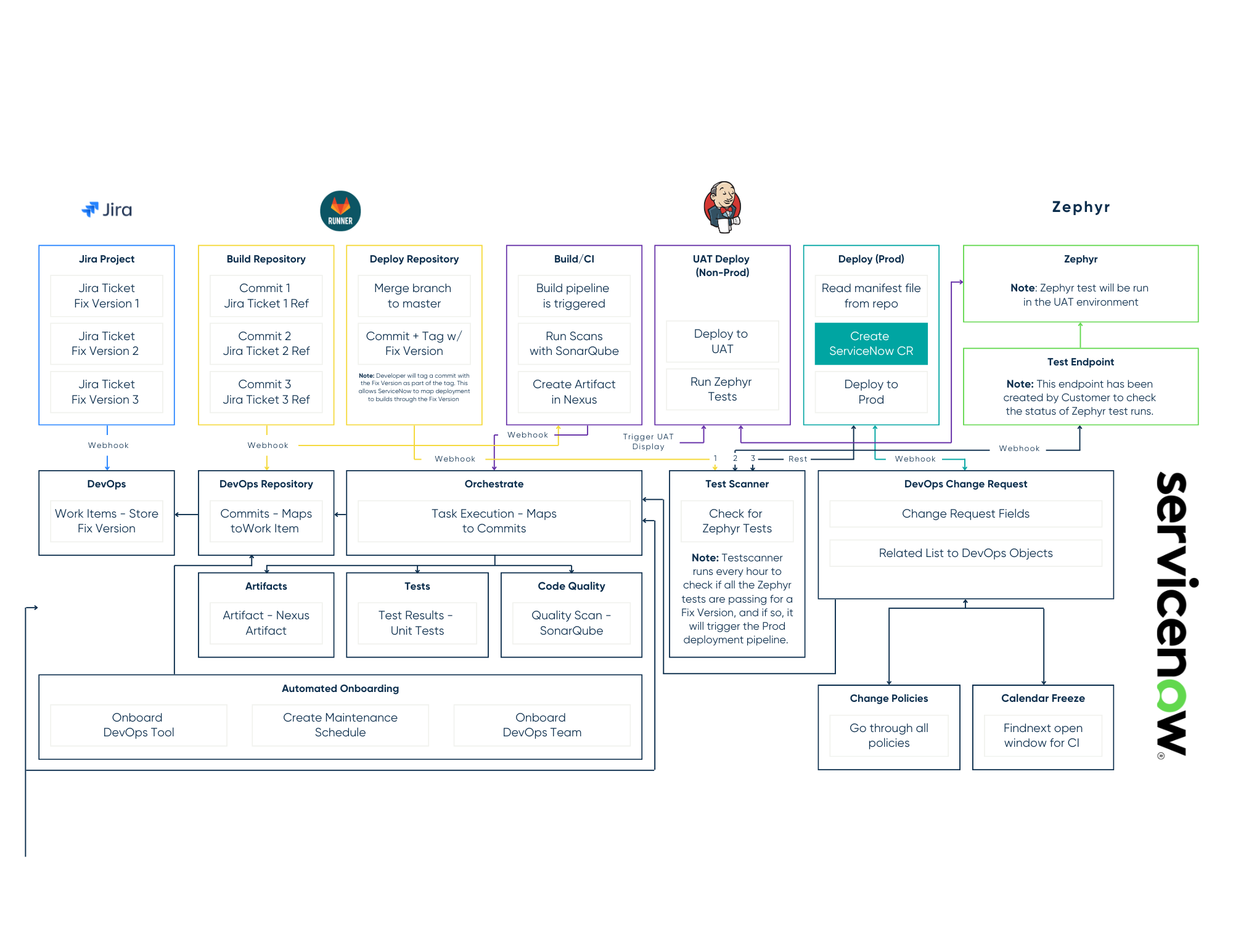
Take a look at this simple subflow that creates a Service Order in SAP.
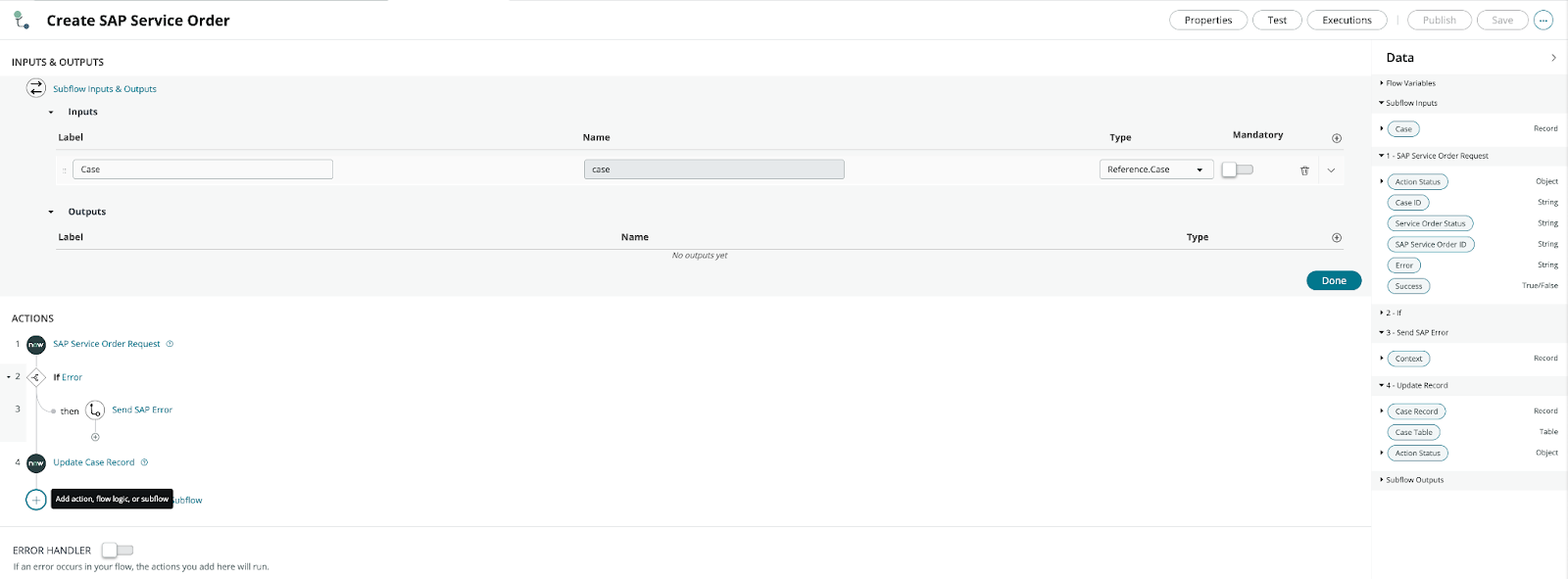
From the example you will see, we are sending a ServiceNow Case record into our sub-flow as an Input. Due to Domain Separation, we need to build this logic as a subflow and trigger it from a Business Rule on the Case table. Using the following code allows us to always run this sub-flow in the ‘global’ domain no matter what domain the case is created in.
The rest of the flow is pretty straightforward. We send a Service Order Request to SAP, however, if we receive an error, we trigger our ‘Send SAP Error’ subflow. If not, we update our Case Record with the SAP Service Order ID and Service Order Status.
The ‘SAP Service Order Request’ action is where all of the magic happens. We are sending Inputs, Building a Payload, creating/sending a REST step, then Processing the Response and setting Outputs all within the same command! This allows you to plug and play the action into multiple flows/subflows where applicable.
The ServiceNow REST Step in flow designer defines Credentials for your REST call, keep in mind you’re able to use multiple credentials in your Alias if you use different CREDS per Dev and Prod instances. We have our Base URL pulling from a dynamic System Property so as we promote this subflow into the Test and Production instance, it will update the Endpoint URL accordingly. Next we set our Resource Path, define our HTTP Method, and add our Payload pill from the first action step.
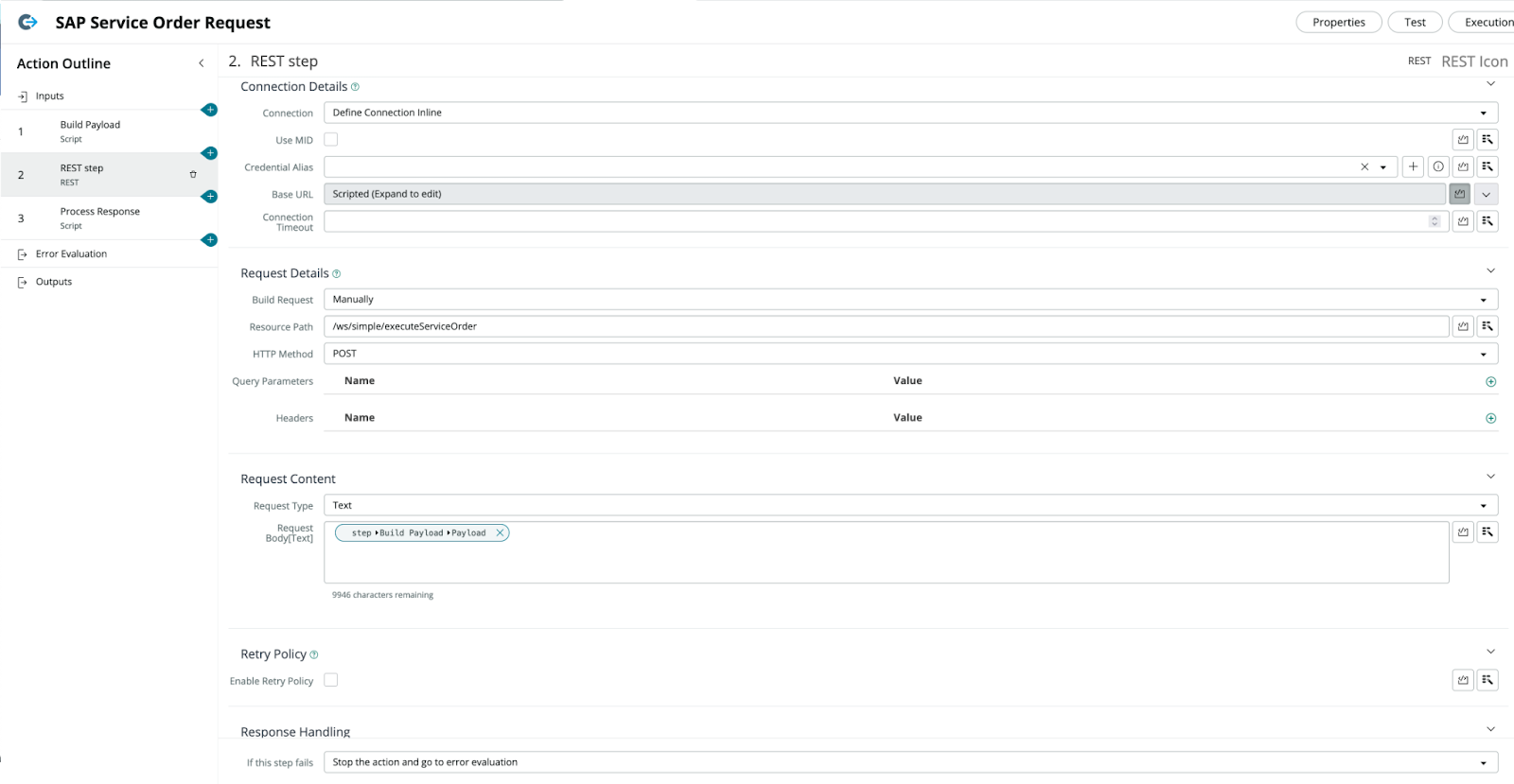
When we receive the response back from SAP, we can now process this payload and set our Outputs for our Action. If we receive an error throughout the step, then we capture the Error Message and set the output value. If the steps executes successfully, then we are setting the Service Order Status and SAP Service Order ID values received from the response payload.

Just like that, we have walked through what once was a complex solution and simplified it using the power of ServiceNow’s Flow Designer. If there are other use cases you would like to hear about, don’t hesitate to reach out to the RapDev team!