


















.svg)










.svg)


















.png)


As your Datadog organization grows, it’s essential to have a clear and efficient way to manage both people and resources. A common challenge is determining ownership of technical resources – knowing who’s responsible for which dashboards, monitors or services can become increasingly confusing as new projects spin up and teams expand. This is where Datadog Teams comes in. By grouping specific individuals and resources together, you can streamline workflows, better organize assets, and simplify your day-to-day operations.
Structuring your Organization with Teams
Datadog Teams allows you to structure your organization for growth and collaboration. Instead of granting broad access to everyone, you can set up teams that match your actual business units or project groups. By grouping users with specific roles and focus areas, you ensure each team sees only the resources relevant to them. This not only improves security, but also makes it easier for individuals to find what they need. When forming teams, consider using clear and descriptive names that reflect your organizational or product structure. Keep teams focused on a single area of responsibility to reduce overlap and confusion about who owns a particular resource.
Associating Resources with Teams
One of the main benefits of Datadog Teams is the ability to associate a wide range of Datadog resources. You can add any of the following Datadog infrastructure elements directly to your team:
- Dashboards
- Resource Catalog
- Service Catalog
- Incidents
- Monitors
- APM Error Tracking (by Service)
- Logs Error Tracking (by Service)
- SLOs
- Data Streams Monitoring
- Synthetic Tests
- Notebooks
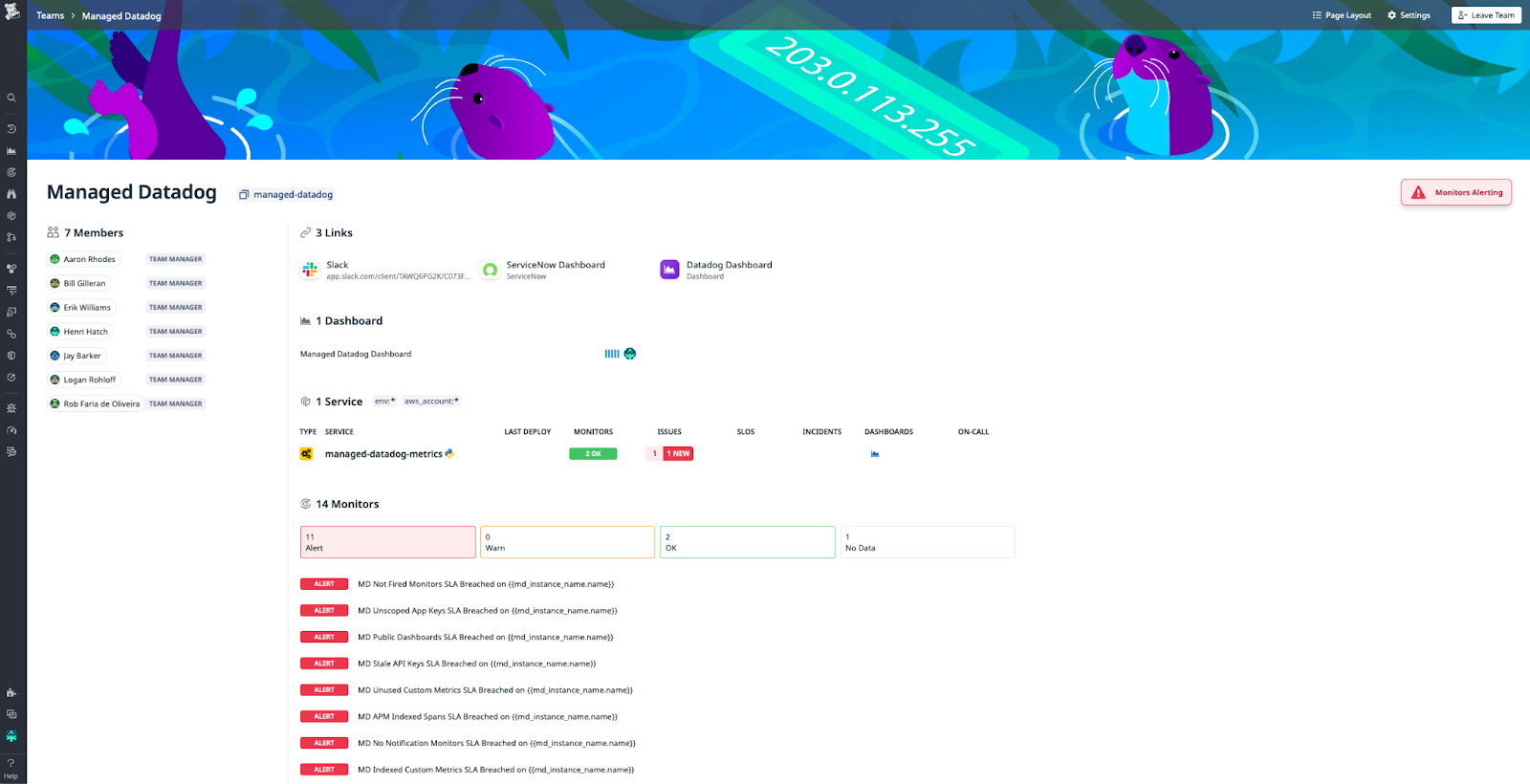
Datadog also allows you to add external links and infrastructure to teams. This could include Slack channels, Jira tickets, or any other resource that a team frequently references. A regular review of which resources are linked to what team can also show if new services are launched or older ones retired. By linking these assets, team members have a centralized view of everything they need – no more digging through multiple tools or platforms to track down relevant information.
Simplifying your View with Team Filters
Throughout our experience with the Datadog platform, the number of resources in an organization tends to skyrocket. Team filters provide a quick way to get around all the complexity. When you apply a team filter, your interface only displays the resources associated with that specific team (or any other team you select). This view can drastically reduce noise and help each team focus on the infrastructure that is relevant to their workload.
Securing your Organization with Team Permissions
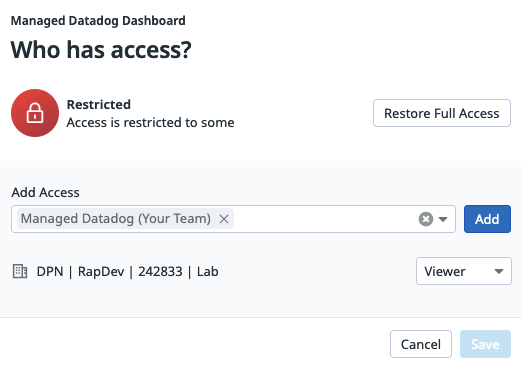
Recently, Datadog introduced the ability to restrict infrastructure resources to specific teams. Administrators can now designate certain assets – such as dashboards, monitors, or incidents – for exclusive use by a single team. This gives your organization fantastic control over your data including granular access control, only allowing members of the designated team to access those resources; as well as improved security and clarity, by preventing accidental changes and reducing the risk of misconfiguration.
Sourcing Teams from External Tools
In addition to creating teams directly in Datadog, you can source teams from external identity and access management solutions or HR systems. Whether it’s Okta, Azure AD, or Google Workspace, syncing these provider groups within Datadog ensures that changes in your organizational structure, like new hires, departures, or role changes, are automatically reflected. This helps maintain consistent, accurate team assignments without adding additional effort.
Conclusion
Datadog Teams are an essential part of a well-organized, scalable, and secure observability strategy. By grouping resources and people together – and layering on fine-grained permissions - you empower each team to focus on their tasks, reduce unnecessary complexity, and maintain visibility across your organization.
Have questions? Reach out to our team at chat@rapdev.io.